
Tech Stack
Description
I built Research Vault as a self-hosted research and knowledge management platform for collecting information from the web, organizing it into projects, and reading saved articles in a distraction-free environment.
The application uses an asynchronous FastAPI backend with PostgreSQL, Redis, Celery, and SearXNG to handle authentication, article extraction, background processing, search, notes, tags, highlights, and reading-list workflows.
AI features are optional and designed as one-shot helpers rather than a chatbot. They provide research roadmaps, article summaries, highlight explanations, tag suggestions, and semantic search while the application remains fully functional without an AI provider.
- Built a complete async FastAPI backend with JWT authentication, user isolation, validation, and full CRUD workflows for research projects, notes, links, tags, and highlights.
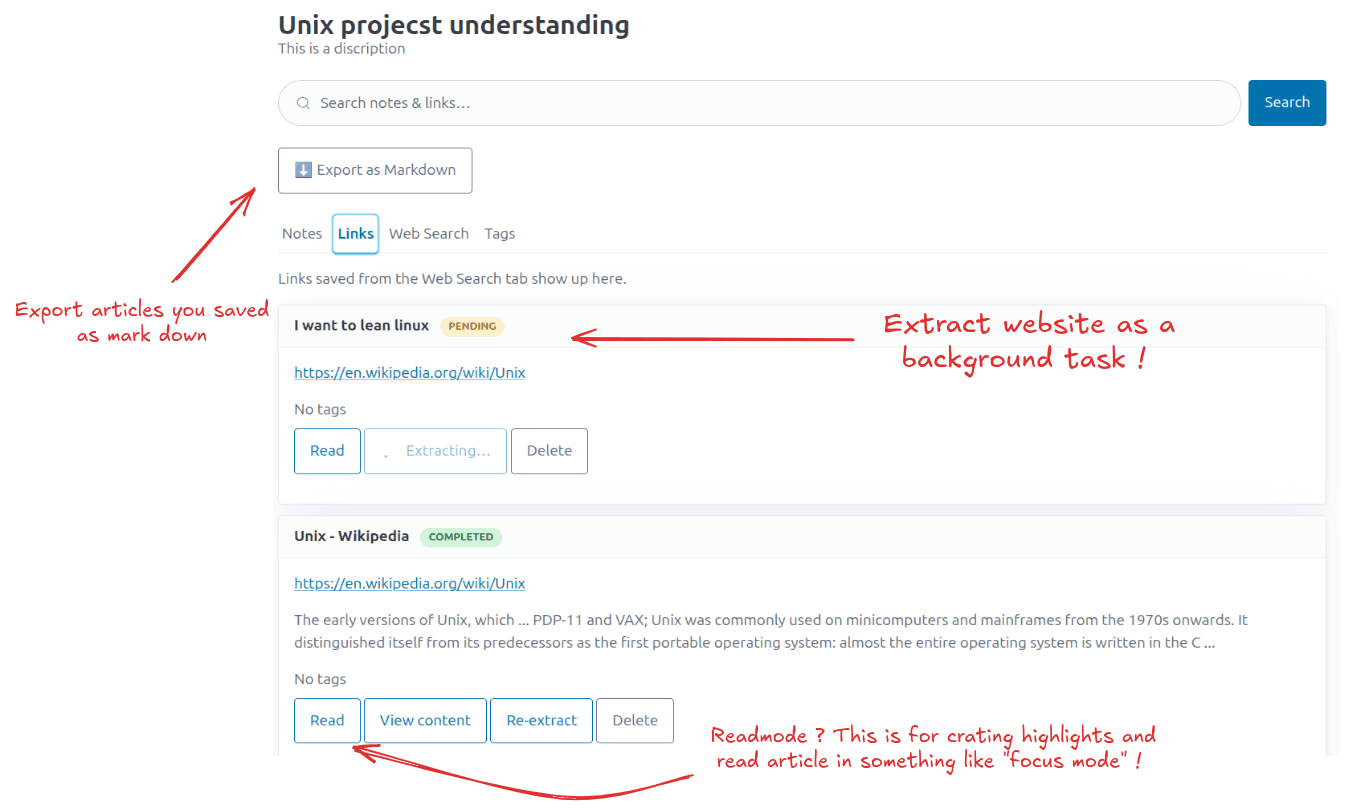
- Implemented web research using self-hosted SearXNG with automatic background article extraction through Celery and Redis.
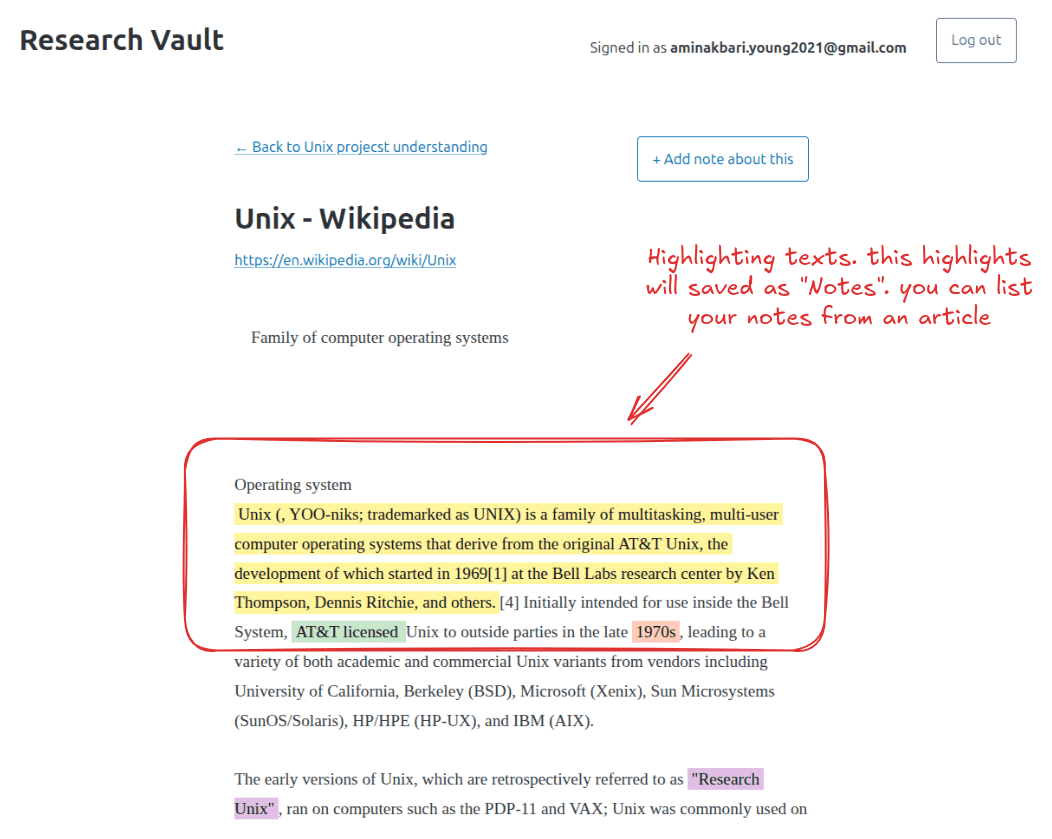
- Built a distraction-free reader with highlights, annotations, and reading-list states such as to_read, reading, done, and archived.
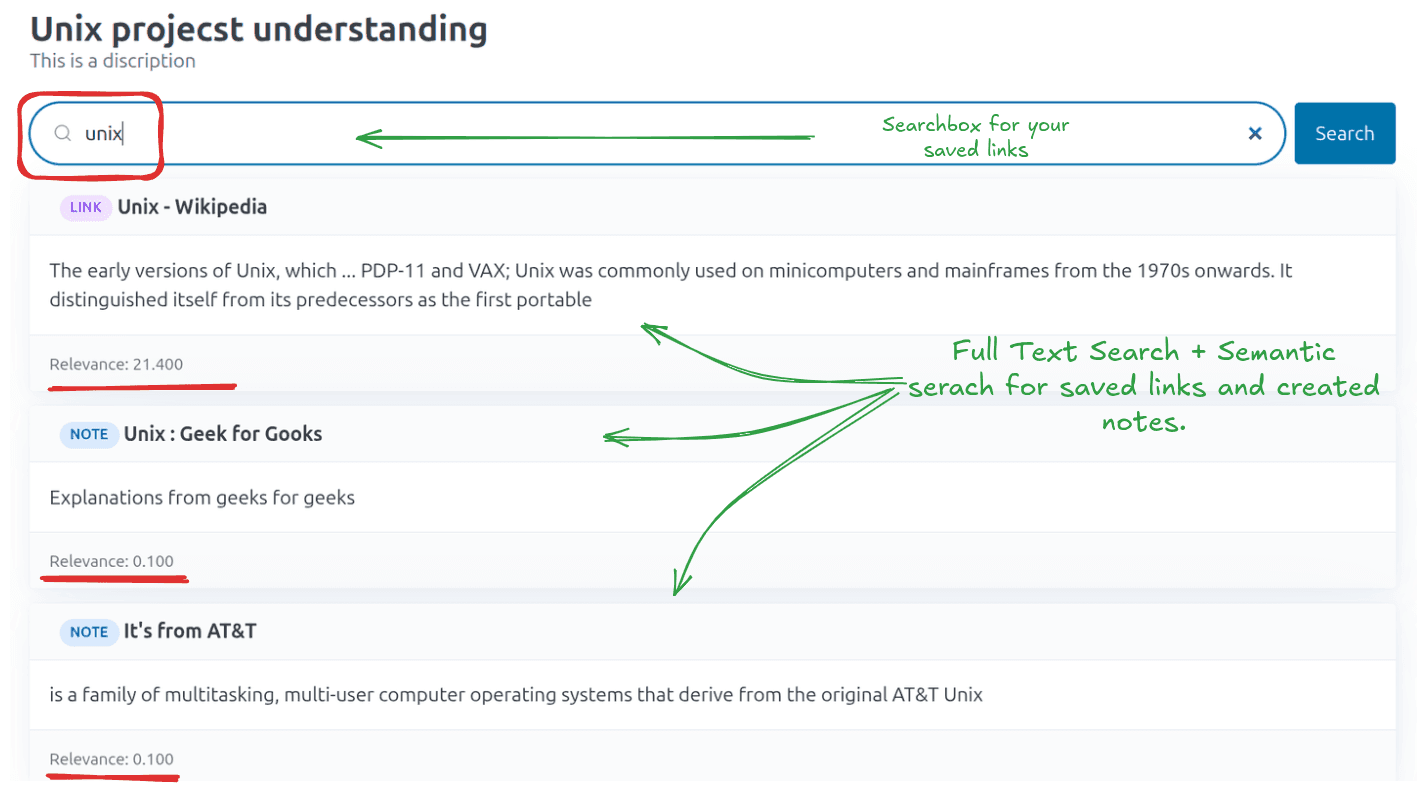
- Implemented PostgreSQL full-text search with relevance ranking across saved links and notes, with optional semantic reranking when AI providers are configured.
- Added Redis-backed rate limiting for authentication and AI endpoints to provide brute-force protection and reduce abuse.
- Integrated multiple optional AI providers through OpenRouter, Hugging Face, and Groq with a fallback strategy when one provider is unavailable.
- Implemented Markdown export to compile an entire research project, including notes, links, and highlights, into a downloadable document.
- Containerized the complete stack with Docker Compose, including FastAPI, PostgreSQL, Redis, SearXNG, and Celery.
- Covered the API with asynchronous integration tests and designed the application around a clean, extensible backend architecture.
Page Info
Website Content Extract
When you save a web link, Research Vault automatically fetches the page in the background and strips away navigation bars, ads, sidebars, and other clutter—leaving just the main article text. This happens asynchronously via a Celery worker so you can keep working while extraction runs. The extracted content is stored alongside the link, making it searchable and available for the reader view even if the original site goes down or changes later. If extraction fails (paywall, network error, unusual markup), the link is simply marked as 'failed' and you can retry later.
Highlighting Text
In the built-in reader mode, you can select any passage of an extracted article and mark it as a highlight. Each highlight can optionally carry a personal annotation—your own note about why that passage matters. Highlights are tied to the specific link and project, and they're included when you export a project to Markdown (rendered as blockquotes with annotations). This lets you build a personal collection of the most meaningful excerpts across all your saved sources without leaving the app.
How Search Works (Full-Text & Semantic)
Full-text search uses PostgreSQL's built-in text search engine. It looks for your query words in note titles/contents and link titles/snippets/extracted text, ranking results by how prominently and frequently the terms appear. This is fast, requires no AI keys, and works entirely locally. Semantic search takes the top full-text matches (up to 10) and sends them to an AI model with your query. The model reorders them by meaning rather than keyword overlap—so a search for 'machine learning overfitting' can surface a note about 'regularization techniques' even if those exact words aren't in it. If no AI key is configured or the AI call fails, results fall back to the original full-text order automatically.